返回
指南经验网
网站首页
美食营养
游戏数码
手工爱好
生活家居
健康养生
运动户外
职场理财
情感交际
母婴教育
生活知识
生活百科
知识问答
更多知识
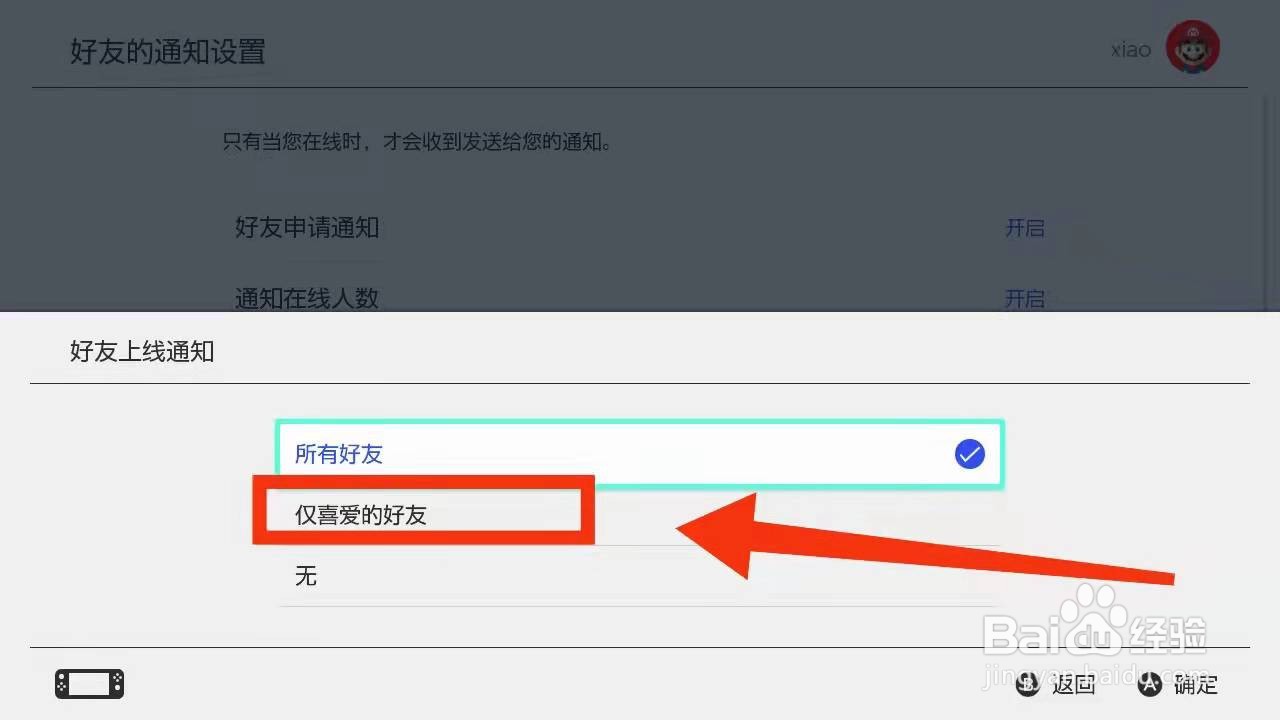
怎样设置switch仅接受“喜好的好友上线提醒”
时间:2026-04-23 05:50:02
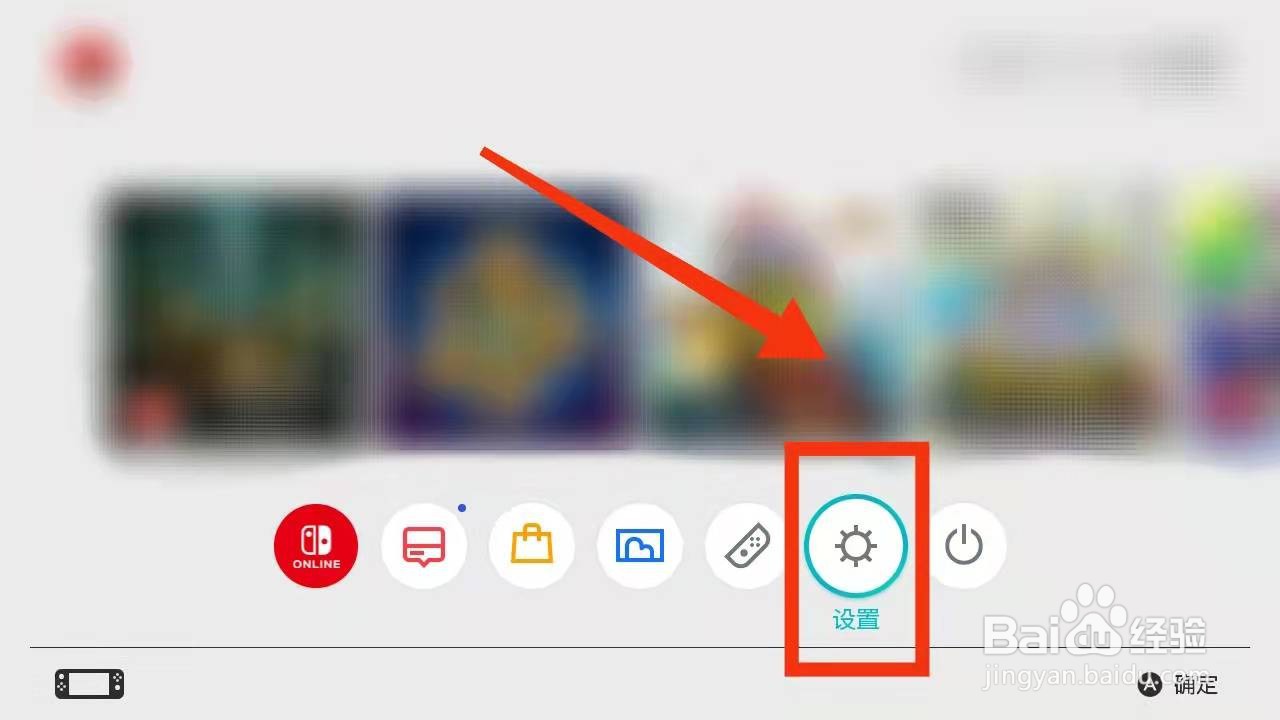
1、点击
【设置】
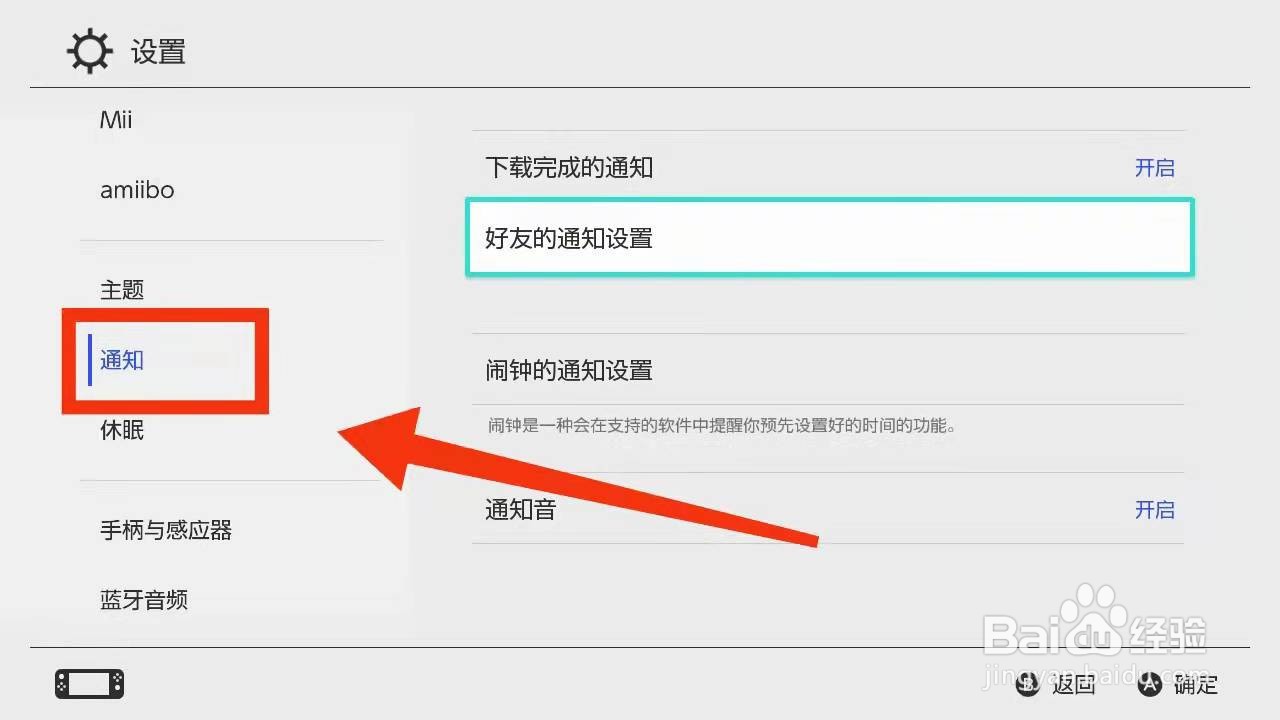
2、点击
【通知】
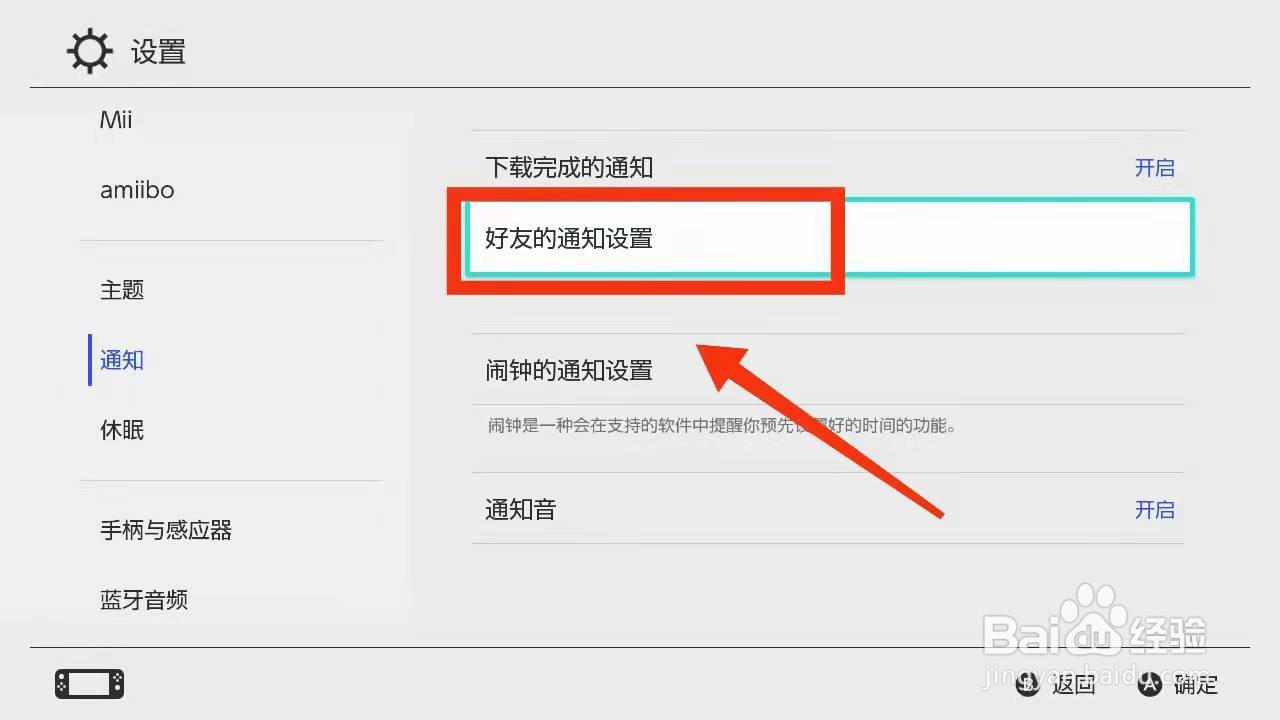
3、点击
【好友的通知设置】
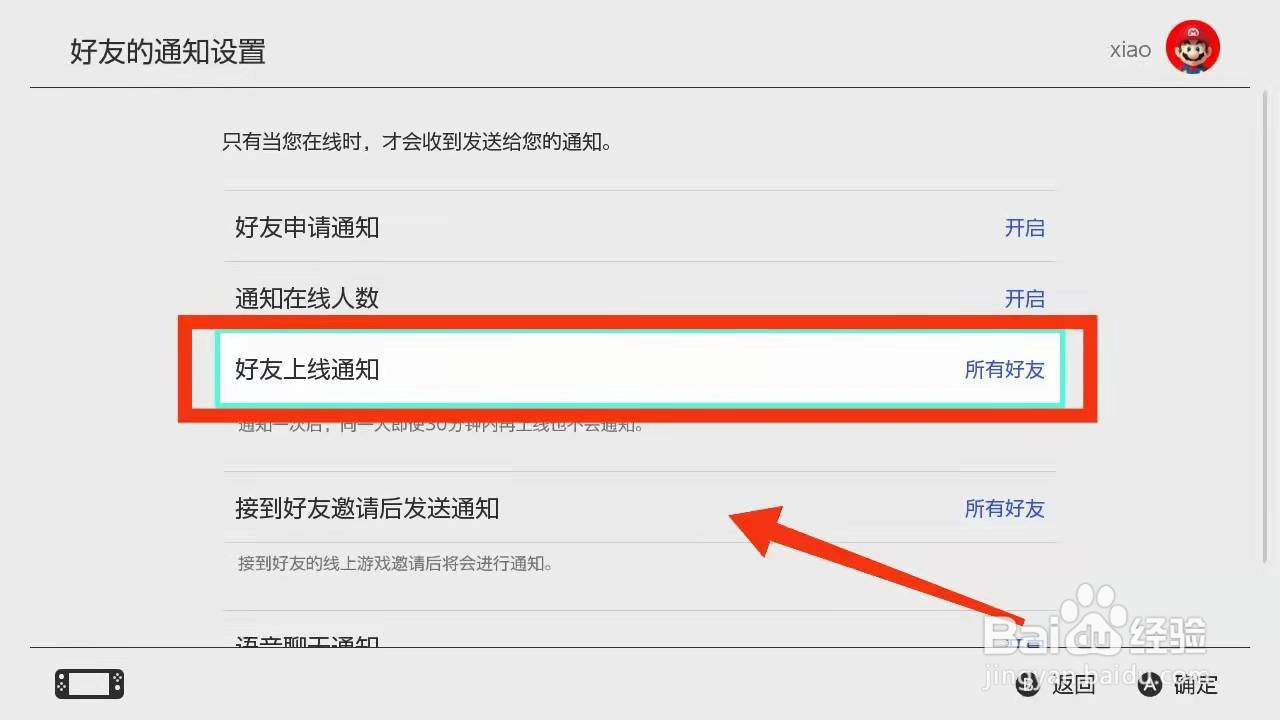
4、点击
【好友上线通知】
5、选择
“仅喜爱的好友”
6、
完成
Switch胡闹厨房2本地双人怎么玩
动森重复的手册有什么用
守望先锋游戏中怎么隐藏队友生命条
《动物之森》怎么睡觉?
动物森友会 如何穿戴衣物配饰
为你推荐:
经期头痛的治疗方法
诚美化妆品怎么样
怎么治疗过敏性鼻炎
学习文言文的方法
说明方法有哪些
小狗简笔画图片大全
红包数字代表的意思大全
银项链怎么清洗
家常炖菜
名人名言大全经典励志
© 2026 指南经验网
信息来自网络 所有数据仅供参考
有疑问请联系站长 site.kefu@gmail.com