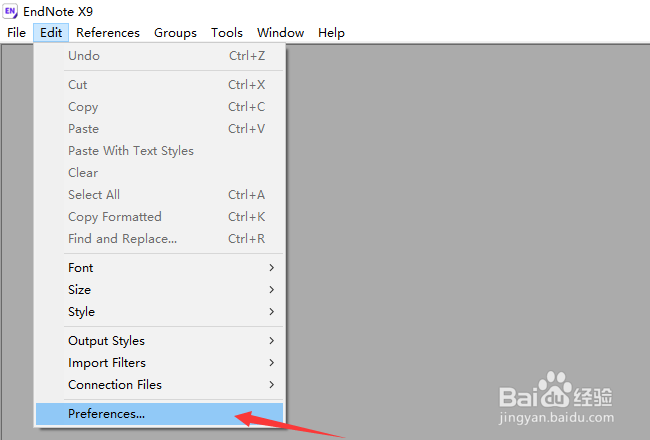
1、首先,点击菜单中edit,弹出了下拉菜单选择为preferences选项
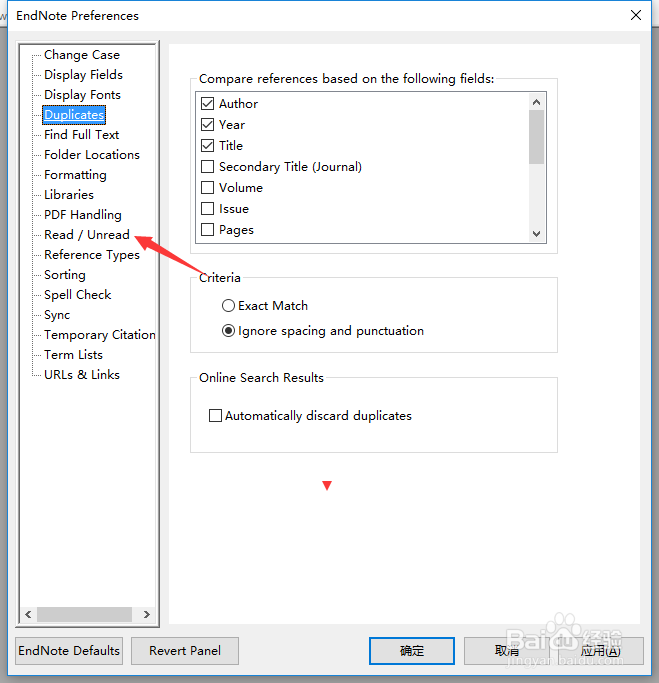
2、点击左侧中read选项
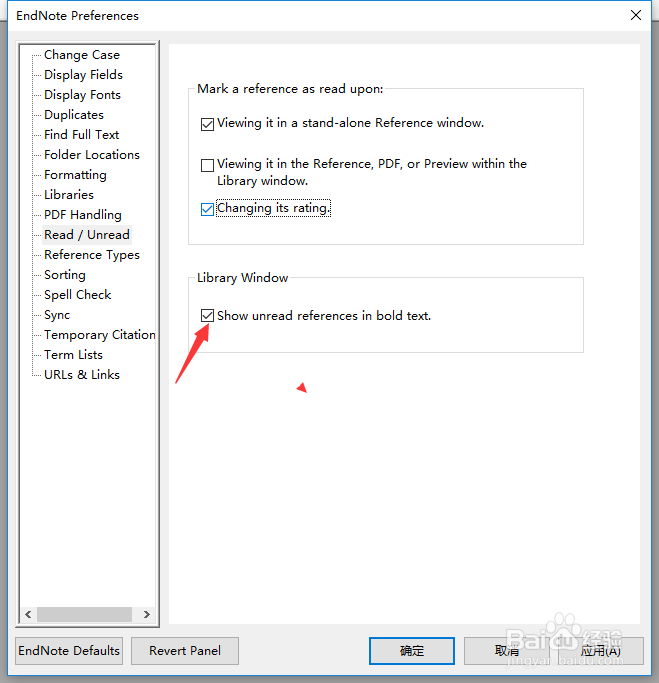
3、去掉勾选show unread references in bold text选项
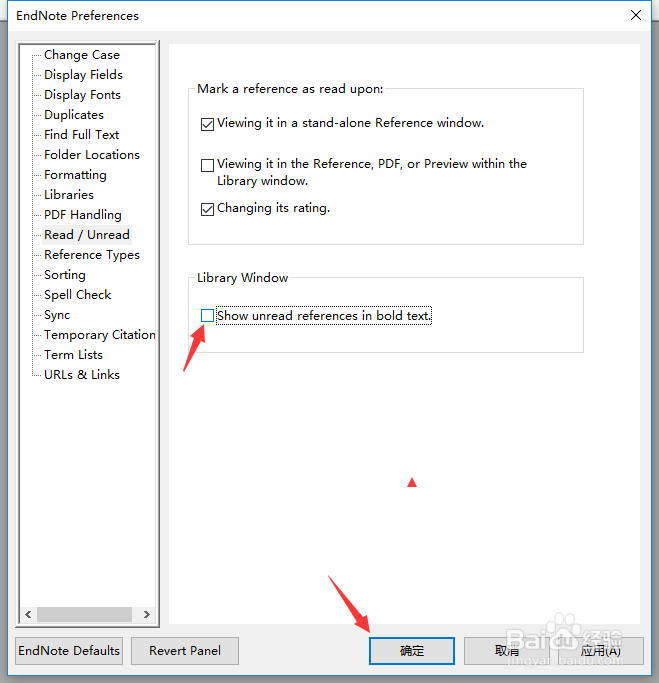
4、去掉勾选show unread references in bold text选项之后,点击确定
1、首先,点击菜单中edit,弹出了下拉菜单选择为preferences选项
2、点击左侧中read选项
3、去掉勾选show unread references in bold text选项
4、去掉勾选show unread references in bold text选项之后,点击确定